Extension for Google Chrome™ · free
Every change, highlighted by SplitDiff.
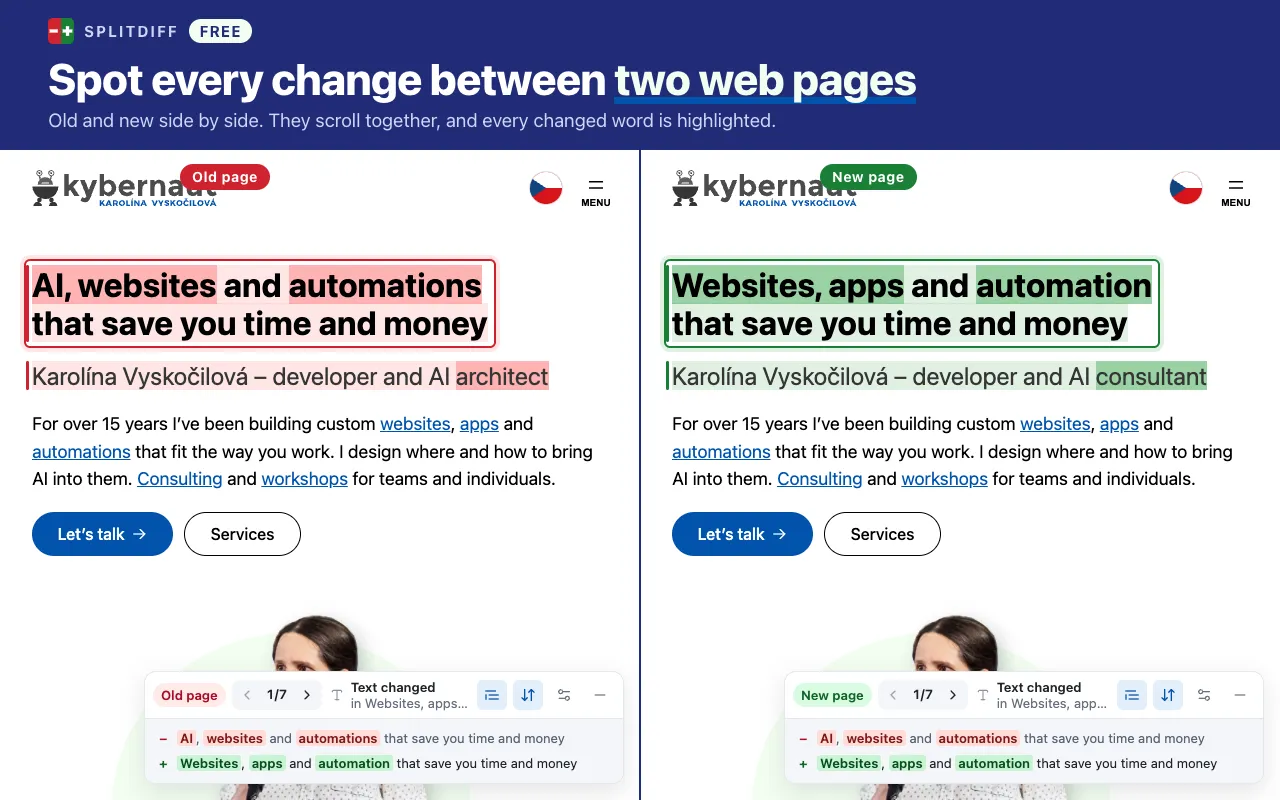
A visual view of the changes on your website. Two versions of a page side by side, scrolling together, every change lit up: removed in red, added in green. Before a deploy, after a redesign and for translations.
- No account
- Nothing leaves your browser
- Chrome 120+
Three steps to the full picture
Add SplitDiff to Chrome
One click in the Chrome Web Store, no sign-up.
Open both versions
Staging and production, a site before and after a redesign, or two language versions. Each in its own tab, or right in Chrome with Split View.
Click Compare pages
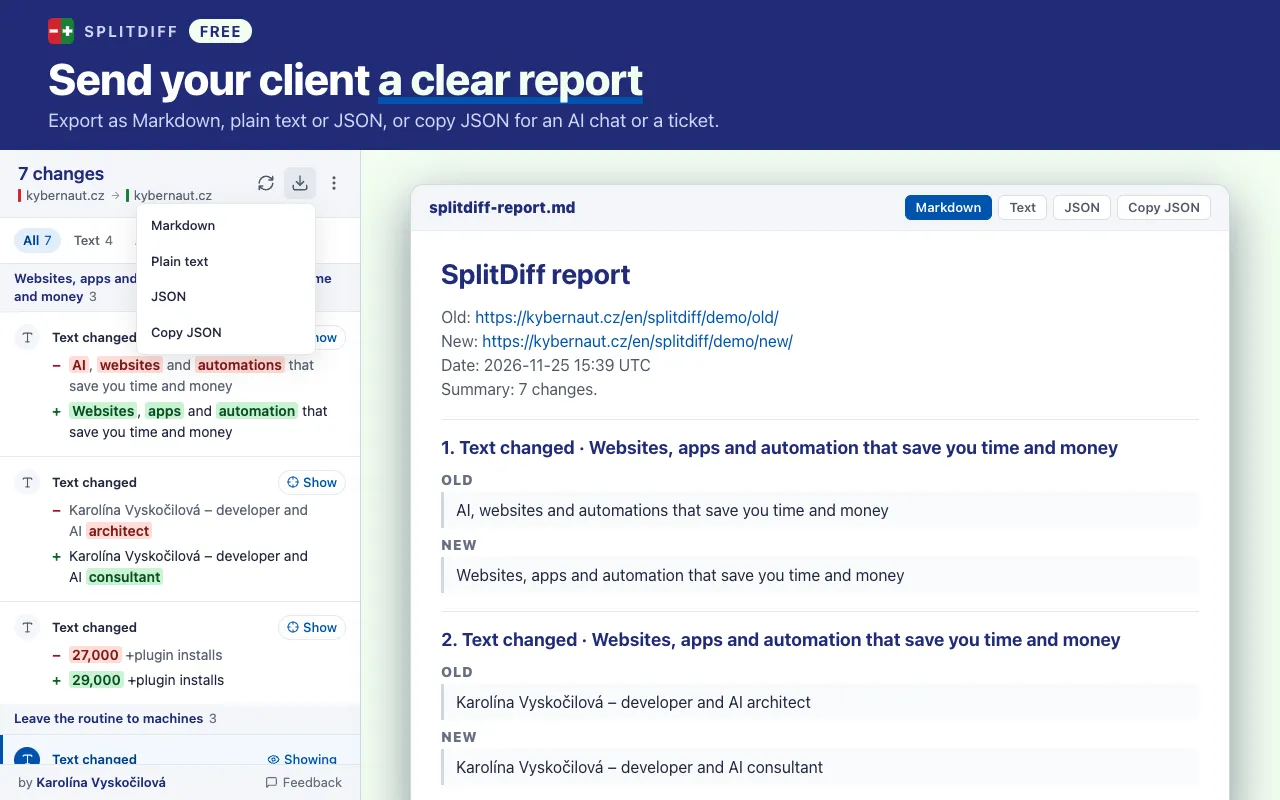
You see the changes side by side and step through them one by one in the side panel.
Every change at a glance
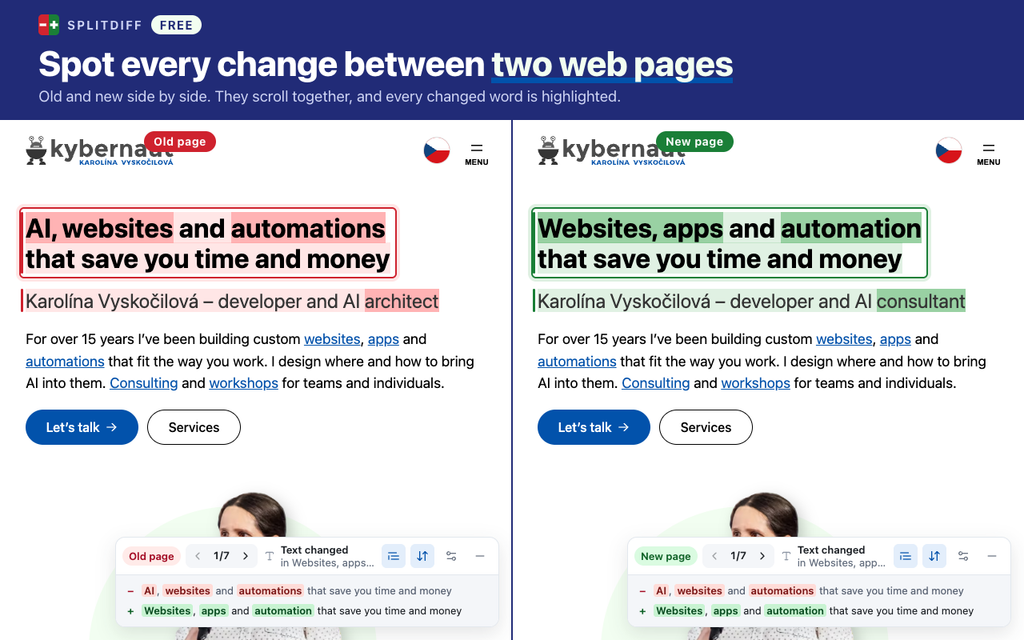
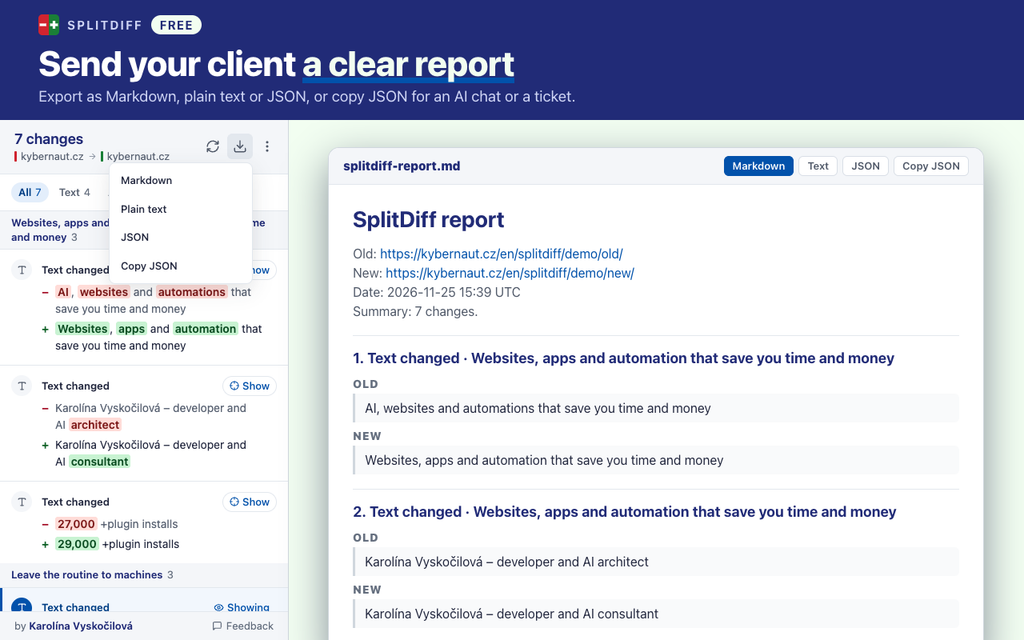
In separate tabs or in Split View, you see clearly what was removed (red) and what was added (green). Both pages scroll together and stay aligned by their headings, so you never lose your place.
- Text
- Prices
- Links
- Images
Complete privacy
The extension sees into the pages you compare, but it never sends anything anywhere.
Nothing leaves your browser
Everything runs in your browser. SplitDiff makes no network requests.
Access to those two sites only
It asks for access only when you start a comparison, and only for the pages you compare.
No account
No sign-up, no password, no email.
FAQ

I built SplitDiff because I was missing it when checking websites. I build tools like this for clients too: custom apps and automations that take the routine out of your work. Got a task you do by hand, over and over? Write to me →
Is SplitDiff free?
Yes. Free and with no account.
Does SplitDiff send my pages anywhere?
No. Everything runs in your browser and SplitDiff makes no network requests. It asks for access to websites only when you start a comparison, and only for those two sites. More in the privacy policy.
Which browsers does it work in?
Chrome 120 and later, and Chromium-based browsers that install extensions from the Chrome Web Store.
Try it on your own website
Add SplitDiff to Chrome, open two pages and click Compare pages.
- Free
- No account
- Chrome 120+