Products disapproved for text or a logo on the image
You run an online store, send your products to Google Merchant Center, and Google disapproves thousands of them for Text on image. The product photo carries the manufacturer’s logo, a watermark or promotional text, and Google won’t show such an image in Shopping.
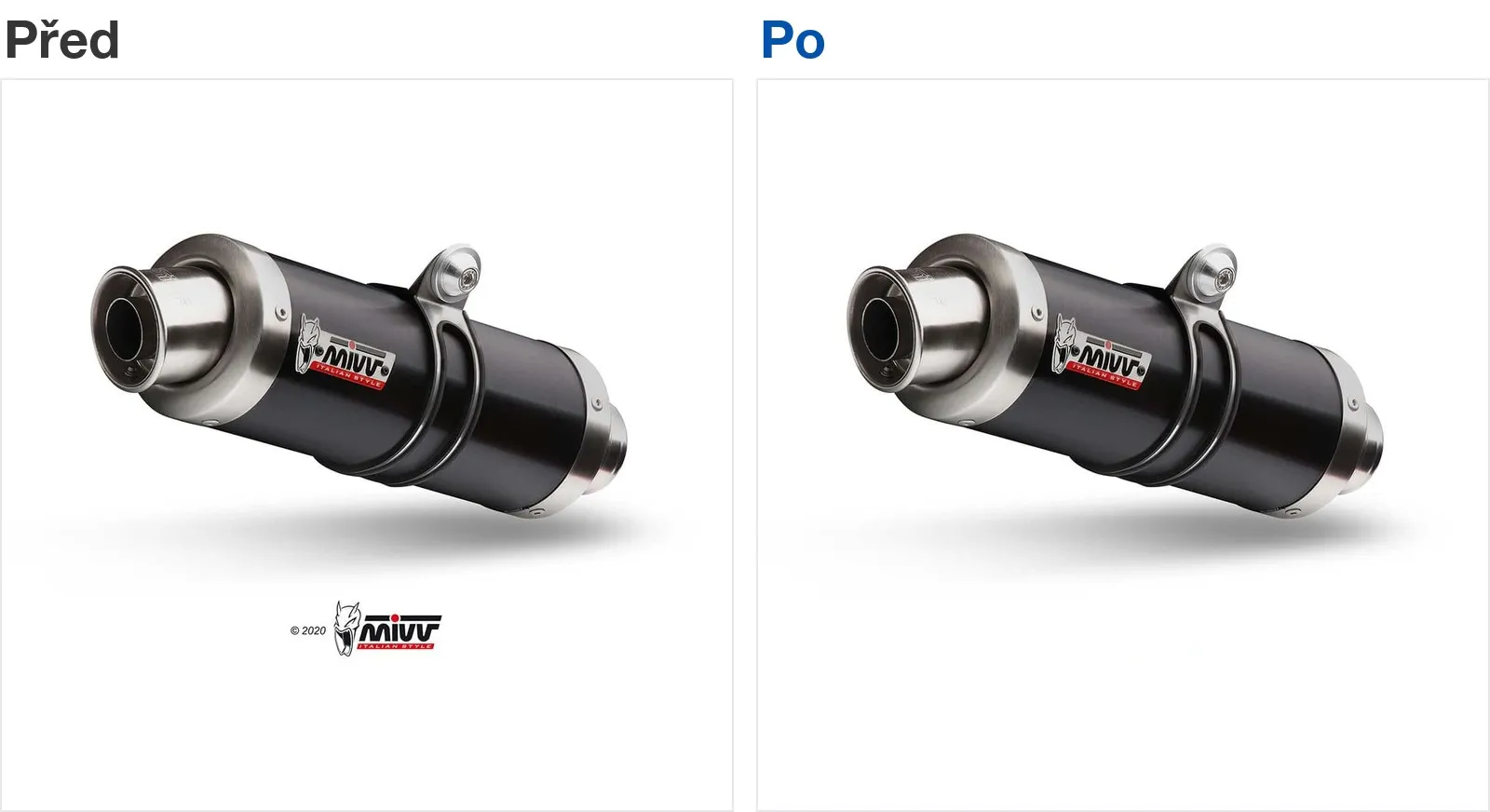
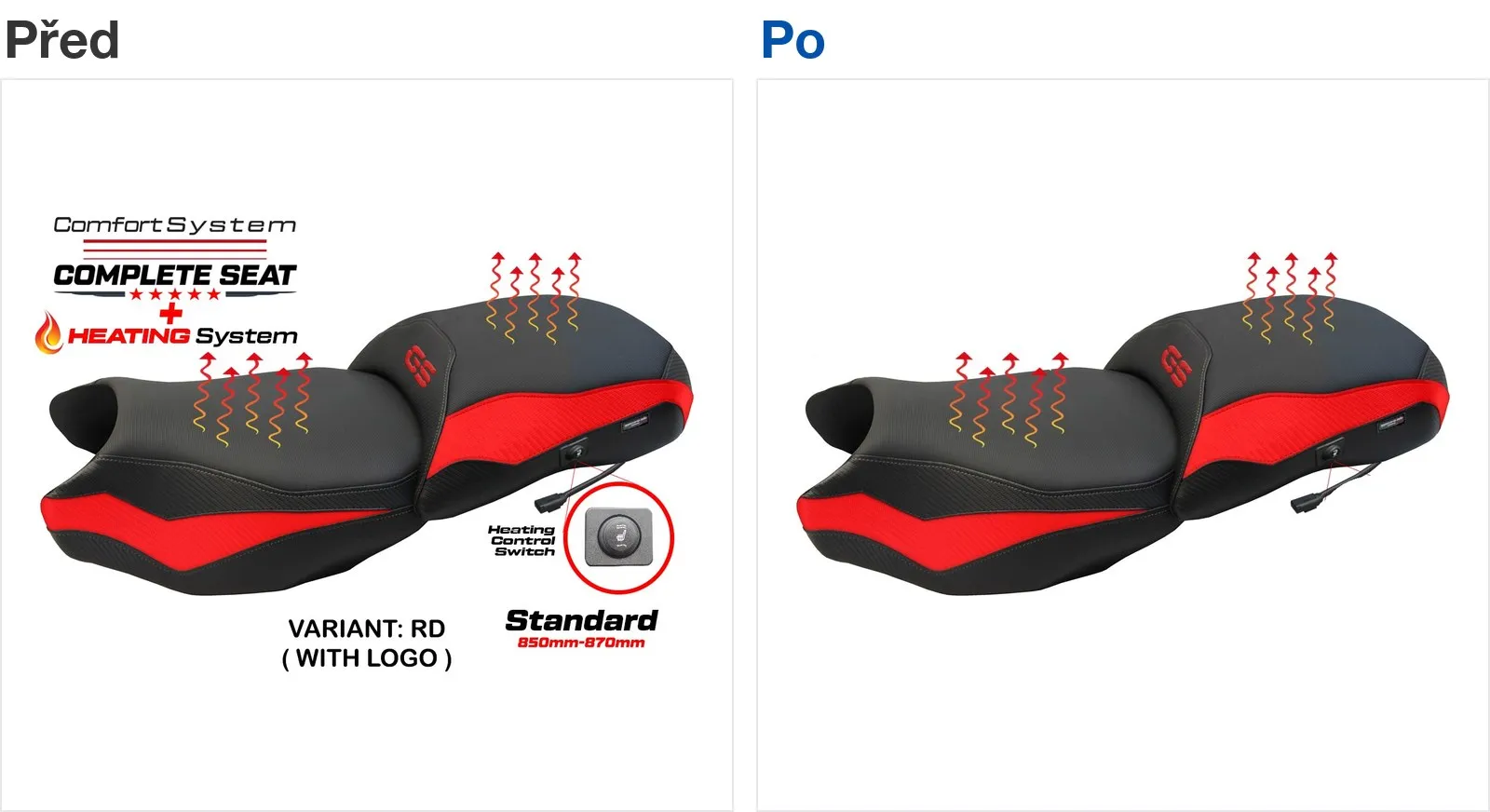
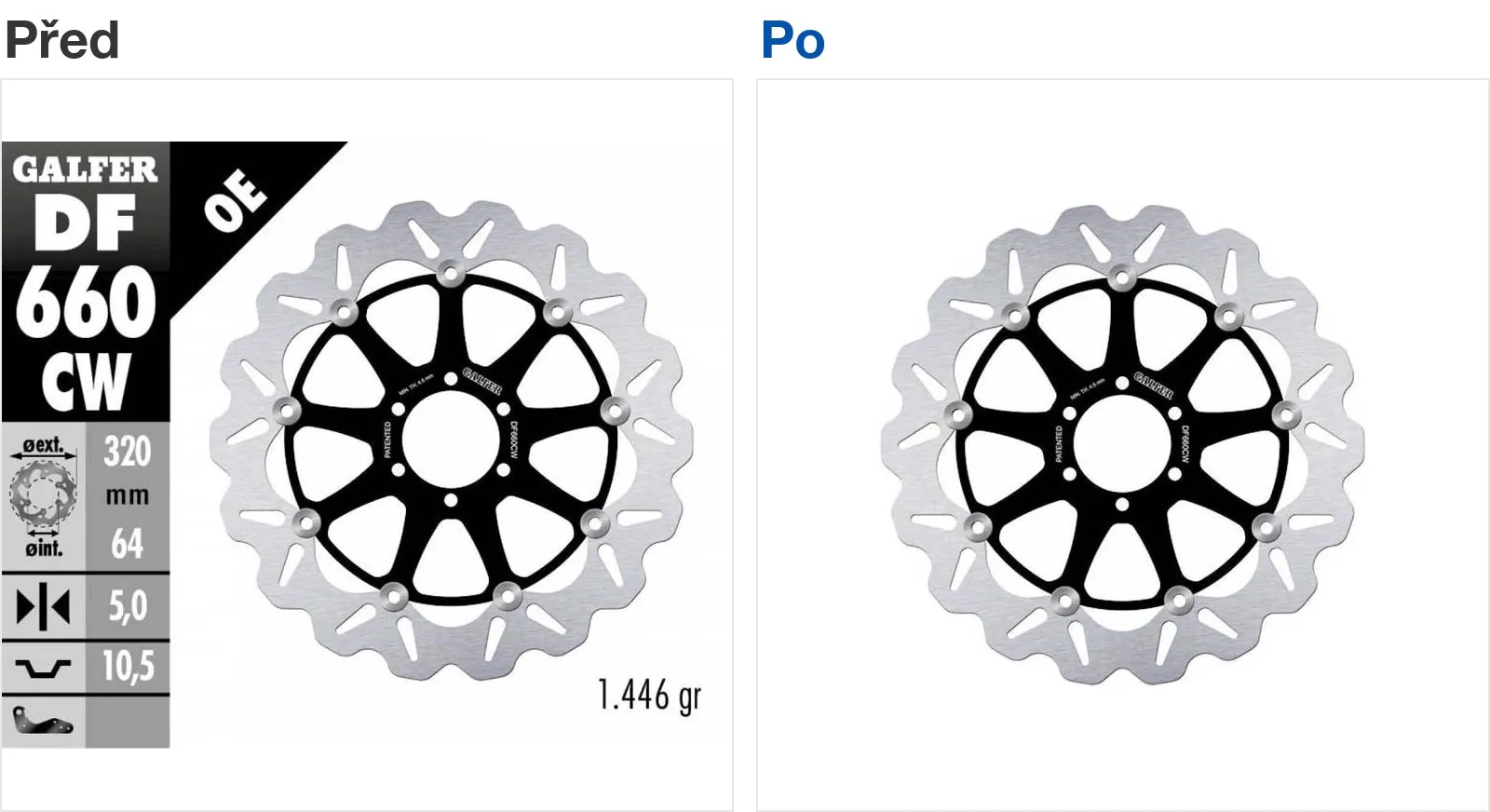
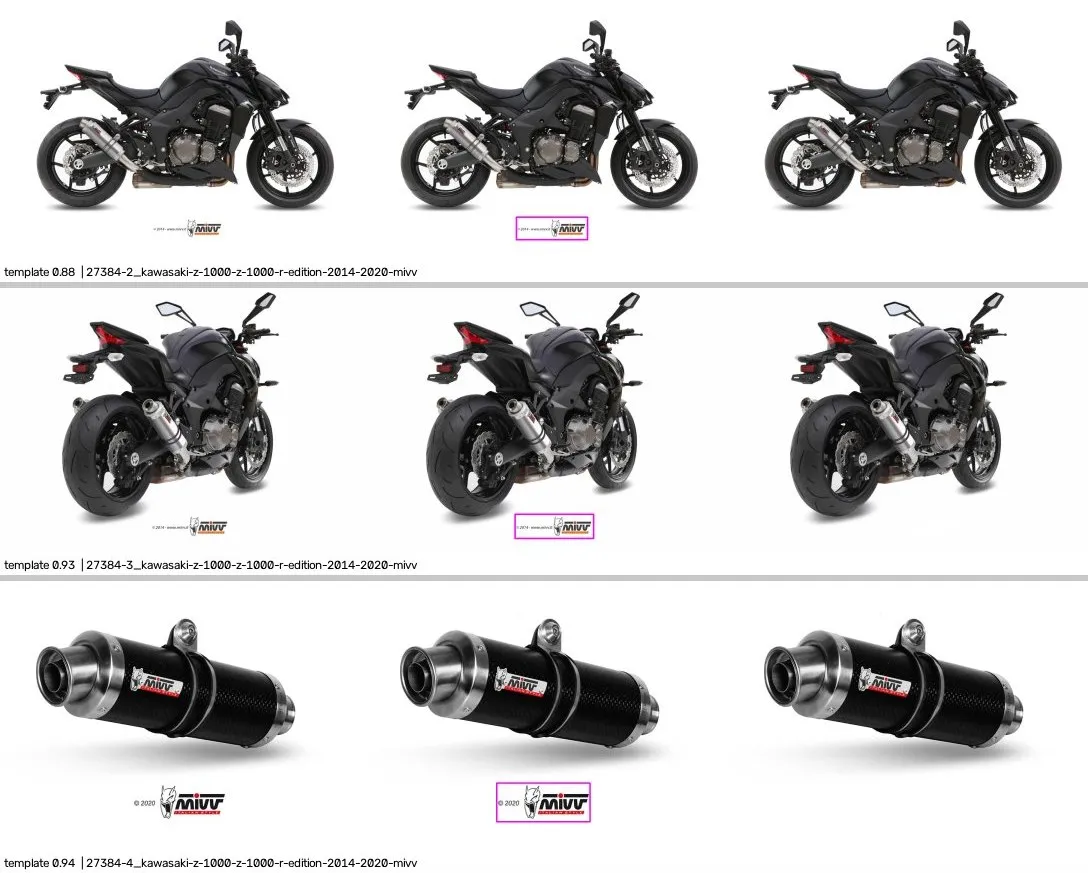
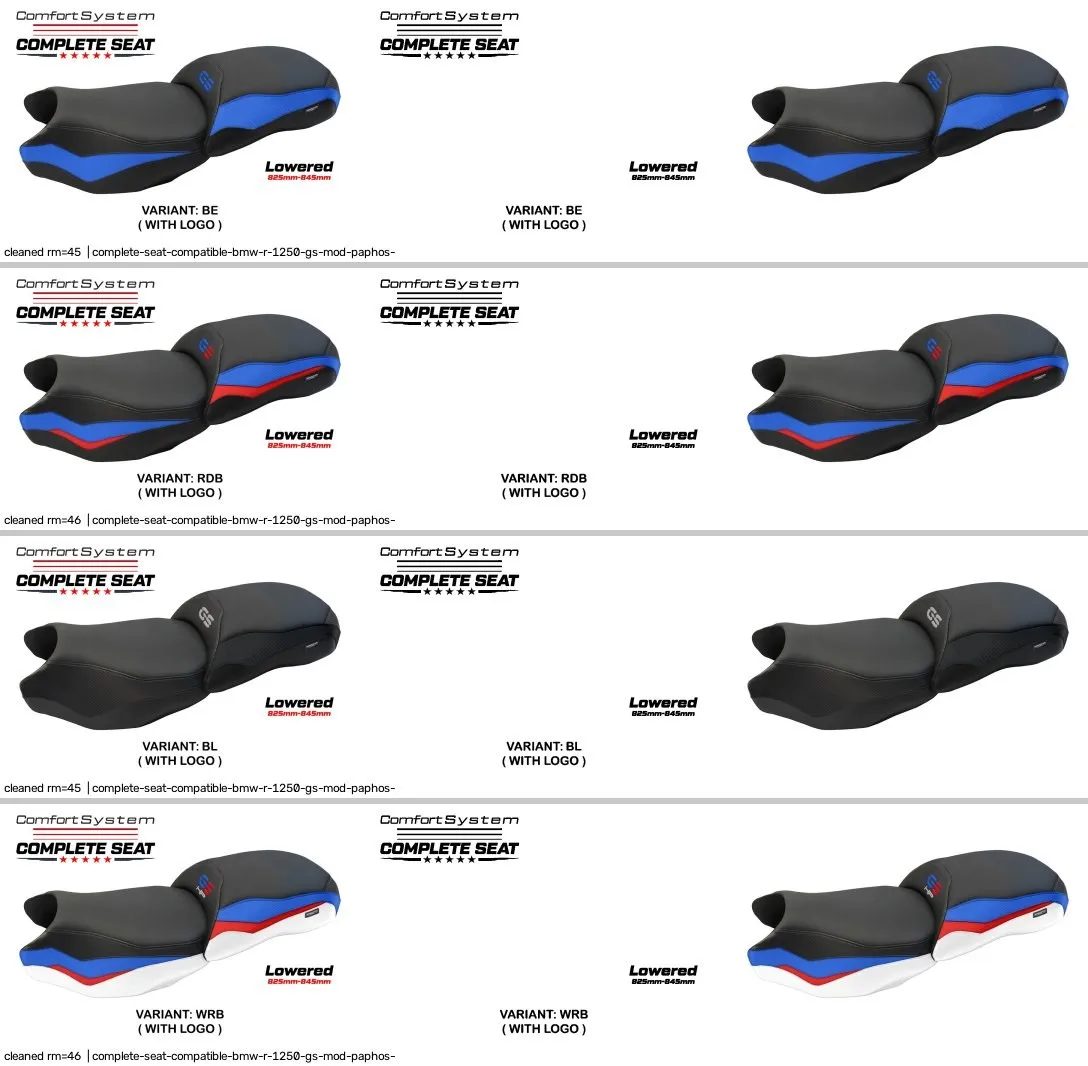
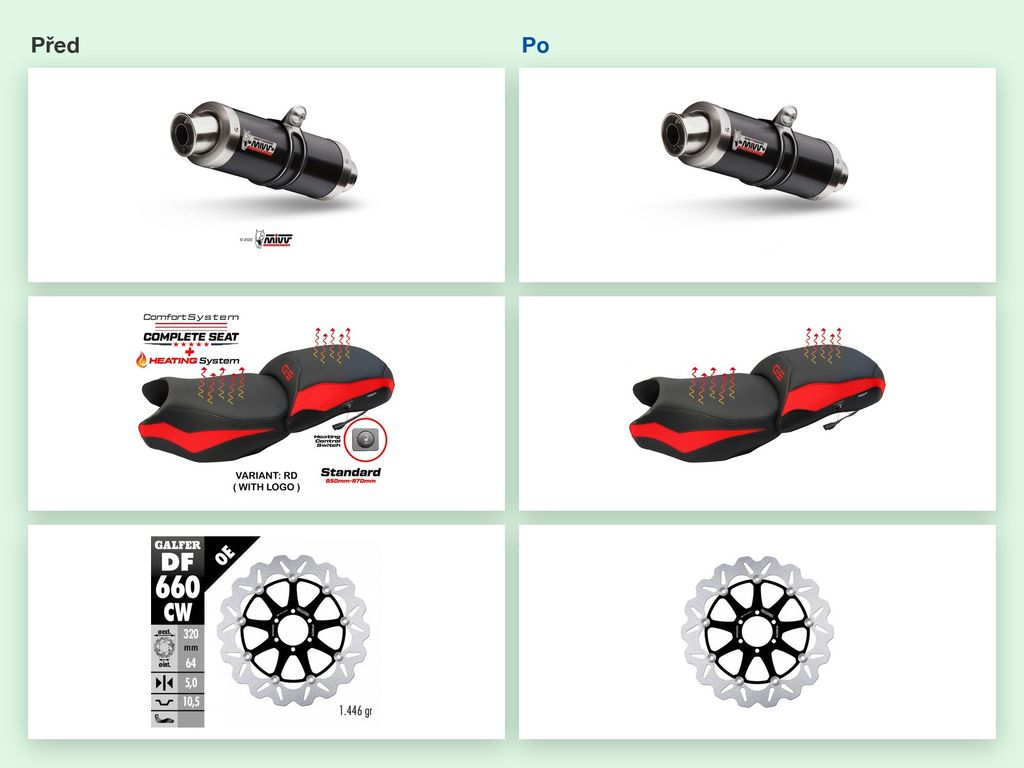
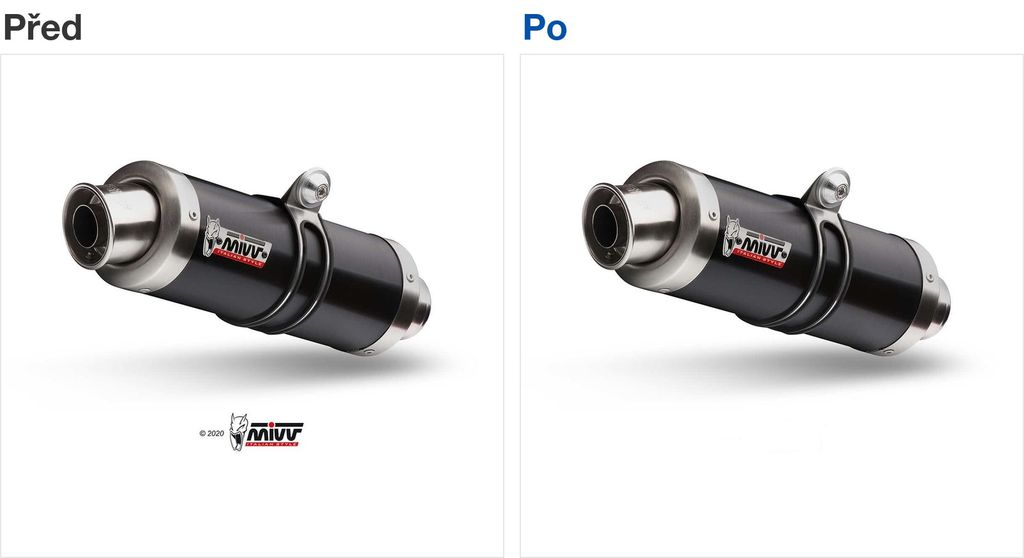
That is exactly what happened to the Slovak online store tuningmotocyklov.sk, which sells motorcycle parts and accessories. Its product photos come from the manufacturers, as they do for every seller of branded goods. Manufacturers prepare them for catalogues and their own websites, not for Google: the MIVV logo with a year under every exhaust, “Comfort System” and stars on TPZ Italia seats, a whole technical label next to a Galfer brake disc.
Editing one photo in Photoshop takes a few minutes. Thousands of photos are weeks of work, and every new delivery from a manufacturer starts it all over again. So I wrote a script for it.
The brief in short
- Remove everything from the photos that isn’t the product: logos, watermarks, text, badges, stamps.
- Keep everything that is the product, including a logo embossed on an exhaust or stitched on a seat.
- Don’t break the store: the same file names in the same place, no downtime.
- Have a way back: a backup of every overwritten file.
- 5,667
- photos cleaned
- 4,908
- products with a clean main image
- 5
- manufacturers, each with its own rules
Google approves the cleaned photos and puts the products back in Shopping
In nine days I cleaned 5,667 photos across 4,908 products from five manufacturers, step by step as the materials came in. Google started approving the products with the new images again, and they came back to Shopping.
Luckily, thousands of photos don’t mean thousands of hours – once the script was tuned, the computer cleaned the photos on its own, even though it took it the better part of an hour. When a manufacturer sends new photos with the same logo, the rules just run again.
Right after that came a second round: 2,897 products and variants with an image smaller than 500 px, which Google will stop showing from 31 January 2027. Upscaling 502 images was enough, I describe how below.
Working with Karolína was extremely fast, professional and trouble-free. The bulk cleaning and editing of thousands of product photos went through without any downtime of the online store, and thanks to that our products came back to Google Shopping. I truly appreciate and praise Karolína’s work and her whole approach.
motorcycle parts online store (translated from Slovak)
Why Google Merchant Center disapproves photos with a logo or watermark
Google has a simple rule for the main product image: the photo shows the product and nothing else. An item that breaks it gets disapproved. Google won’t show it in Shopping ads or free listings until you replace the image. In Merchant Center you’ll find it under Needs attention with the issue Text on image.
Price comparison sites have similar rules. The Czech comparison sites Heureka, Zboží.cz and Glami reject watermarks, shop logos and promotional text too.
Three ways to fix the Text on image issue
- Upload a clean image by hand. Works for dozens of products, not for thousands.
- Turn on automatic image improvements. In Merchant Center it’s off by default, and Google itself says where it fails: strong watermarks, text over the product and collages. It also changes only the image at Google. Your store and your feeds for comparison sites keep the photo with the logo.
- Clean the photos in bulk at the source. A script fixes the images right in the store, so Google and every other channel get the clean photo. This project took that route.
What the main product image must not contain
- promotional text and slogans (“Comfort System”, stars)
- watermarks, copyright and stamps
- a manufacturer’s or shop’s logo added afterwards
- compatibility notes (“Only for High Seat”)
- price, shipping, warranty and borders
A logo on the product itself is the exception. Google allows it, so the script had to tell a watermark under the exhaust from the logo on the exhaust.
Bulk removal of logos and watermarks, manufacturer by manufacturer
Every manufacturer marks its photos differently, so there’s no single universal filter. I split the photos into six batches by manufacturer (TPZ in two) and wrote separate rules for each. In five of the six, the script works without AI: it looks for shapes and colours and makes nothing up. It’s built on the OpenCV library and runs locally.
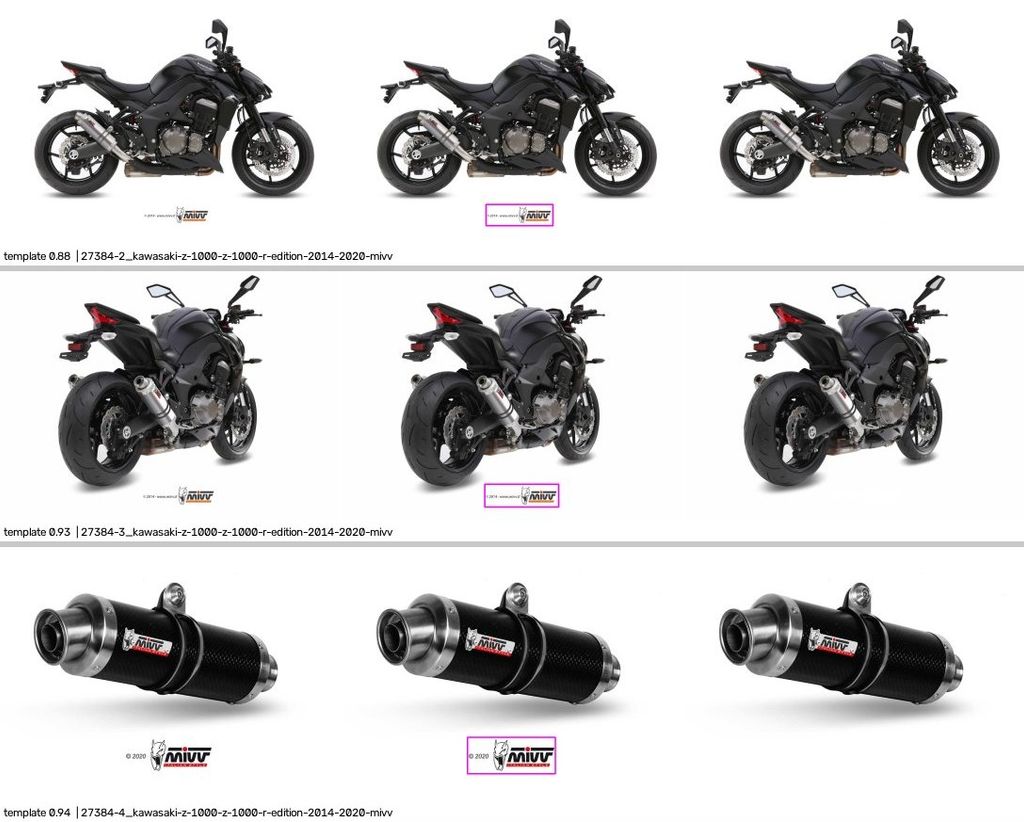
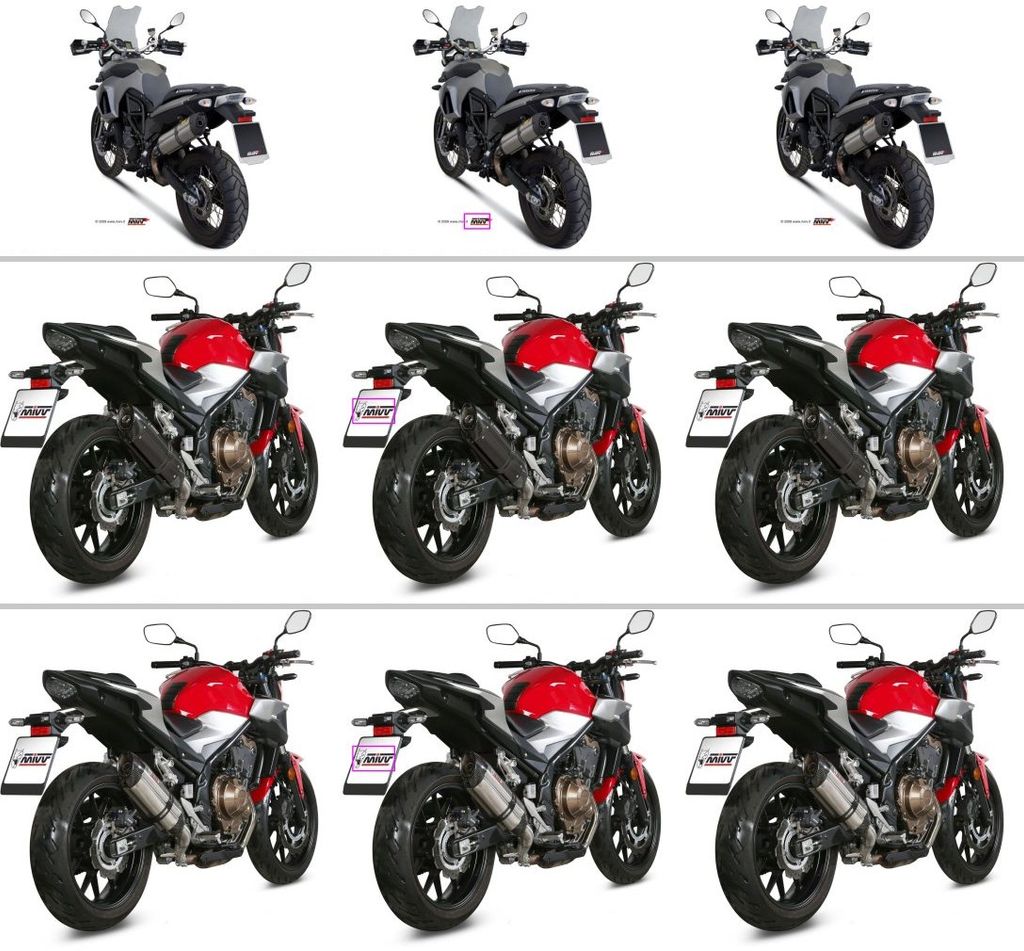
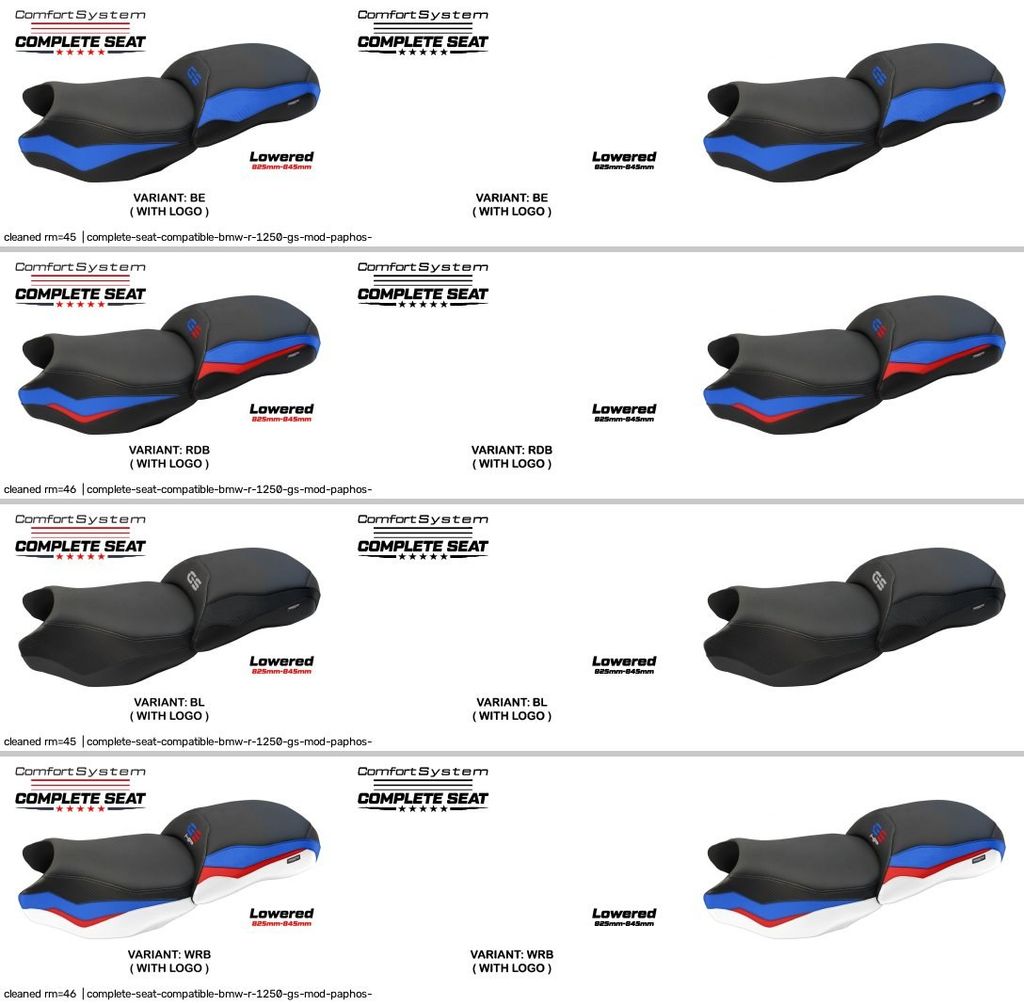
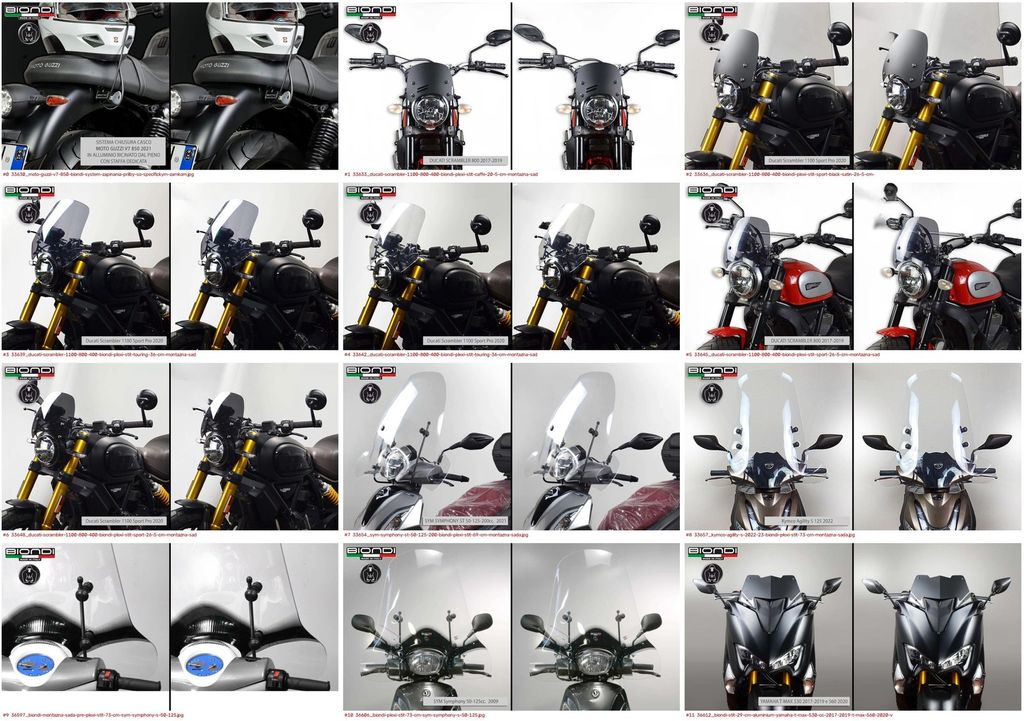
Each example shows the original photo on the left and the result on the right. Click to enlarge.
MIVV: the watermark goes, the logo on the exhaust stays
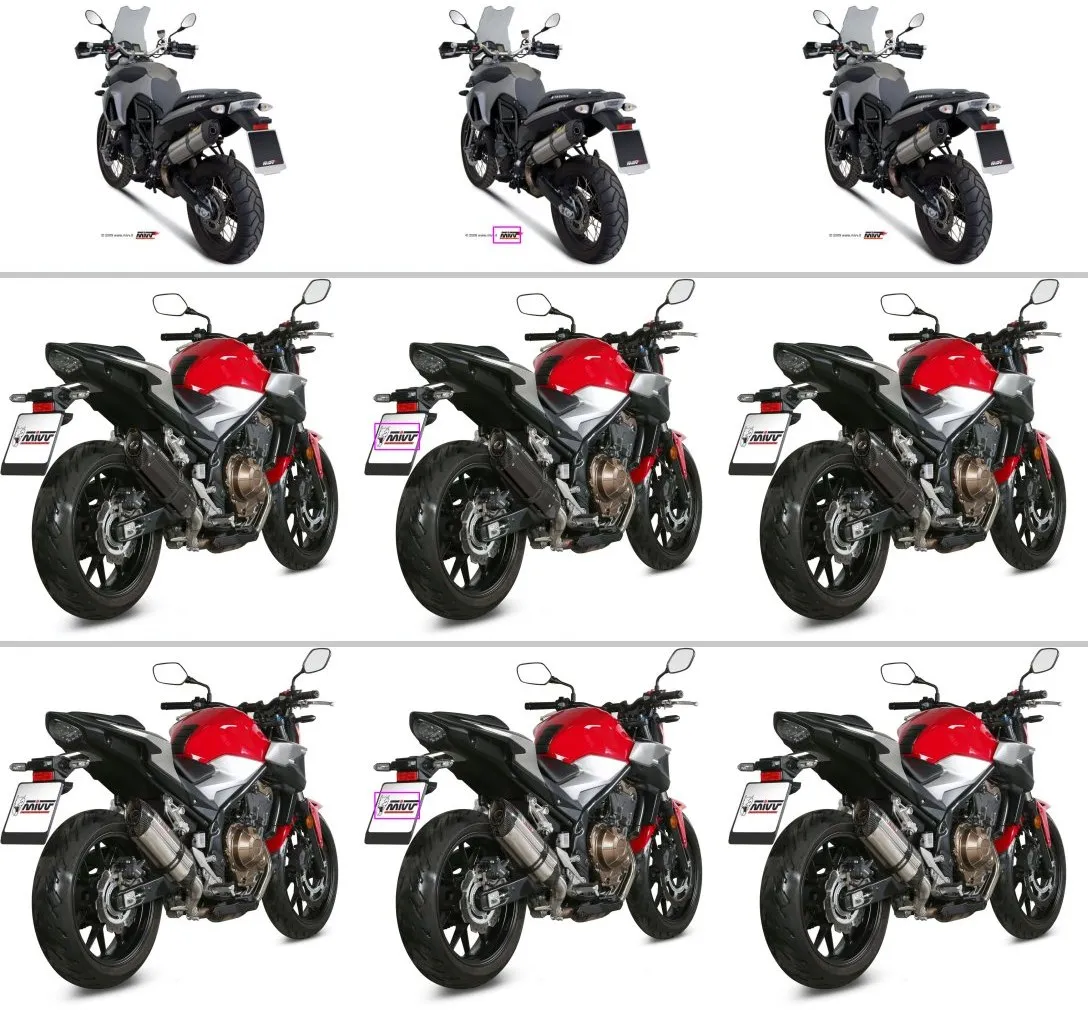
2,083 photos. Under every exhaust sat a wolf logo, a year and sometimes a web address. But the same logo is also on the exhaust itself, on the number plate of a demo bike or in the header of a technical drawing, and there it belongs to the product.
The script finds the logo by its pattern in different sizes and then decides: does it stand alone on a white background with a caption next to it? It goes. Is it on the silencer or the number plate? It stays.
TPZ Italia: seats and seat covers
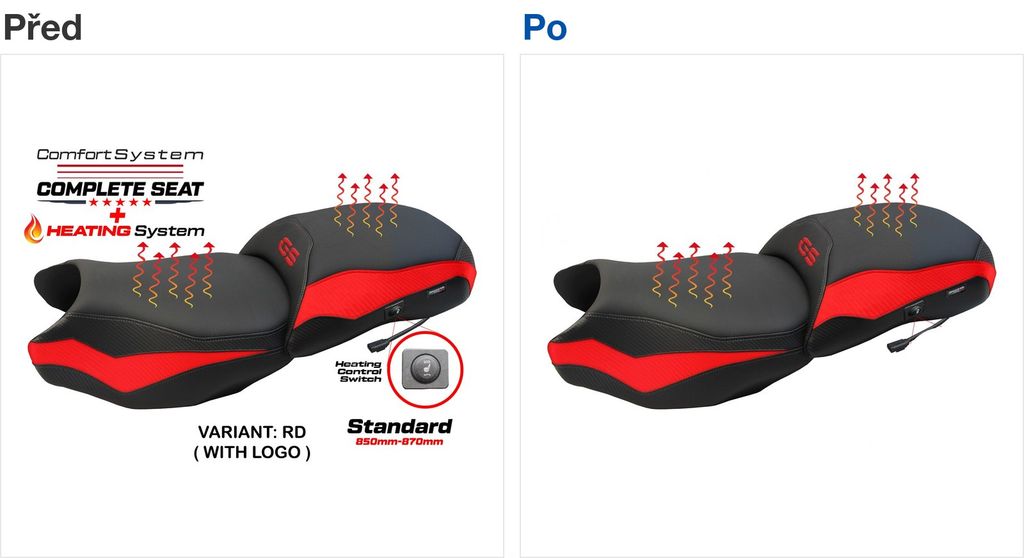
3,158 photos in two batches. Here it wasn’t one watermark but a whole collection: “Comfort System”, “Complete Seat” with stars, “Ultragrip”, a “Special Color” stamp, seat height, variant name, and on heated seats also a flame and an inset photo of the controller.
So the script works the other way round. It finds the seat (and the passenger seat, if it’s in the photo) and whitens everything else. The logo stitched on the seat stays. The heat waves above the heated seat stayed too, the client’s call.
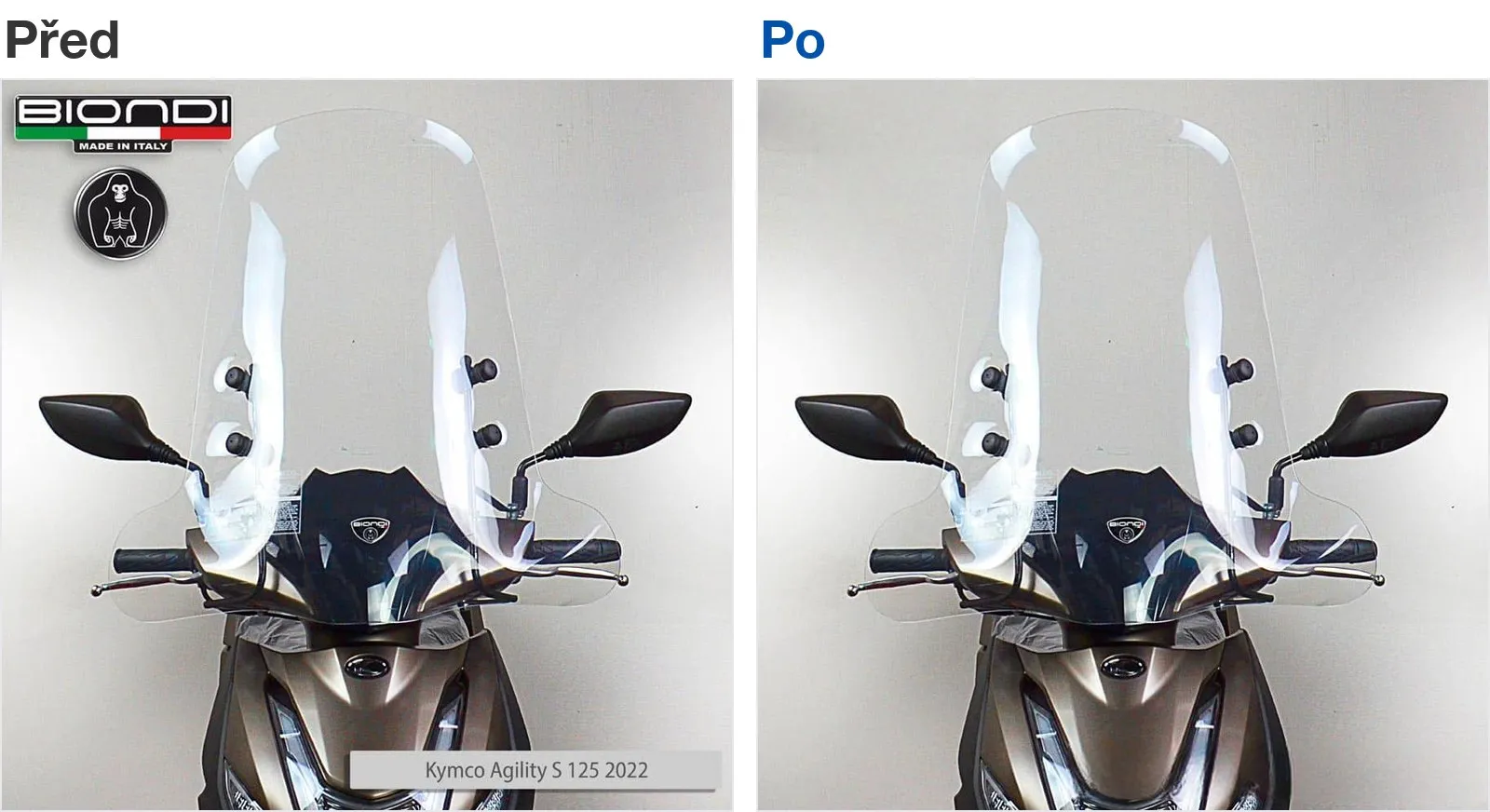
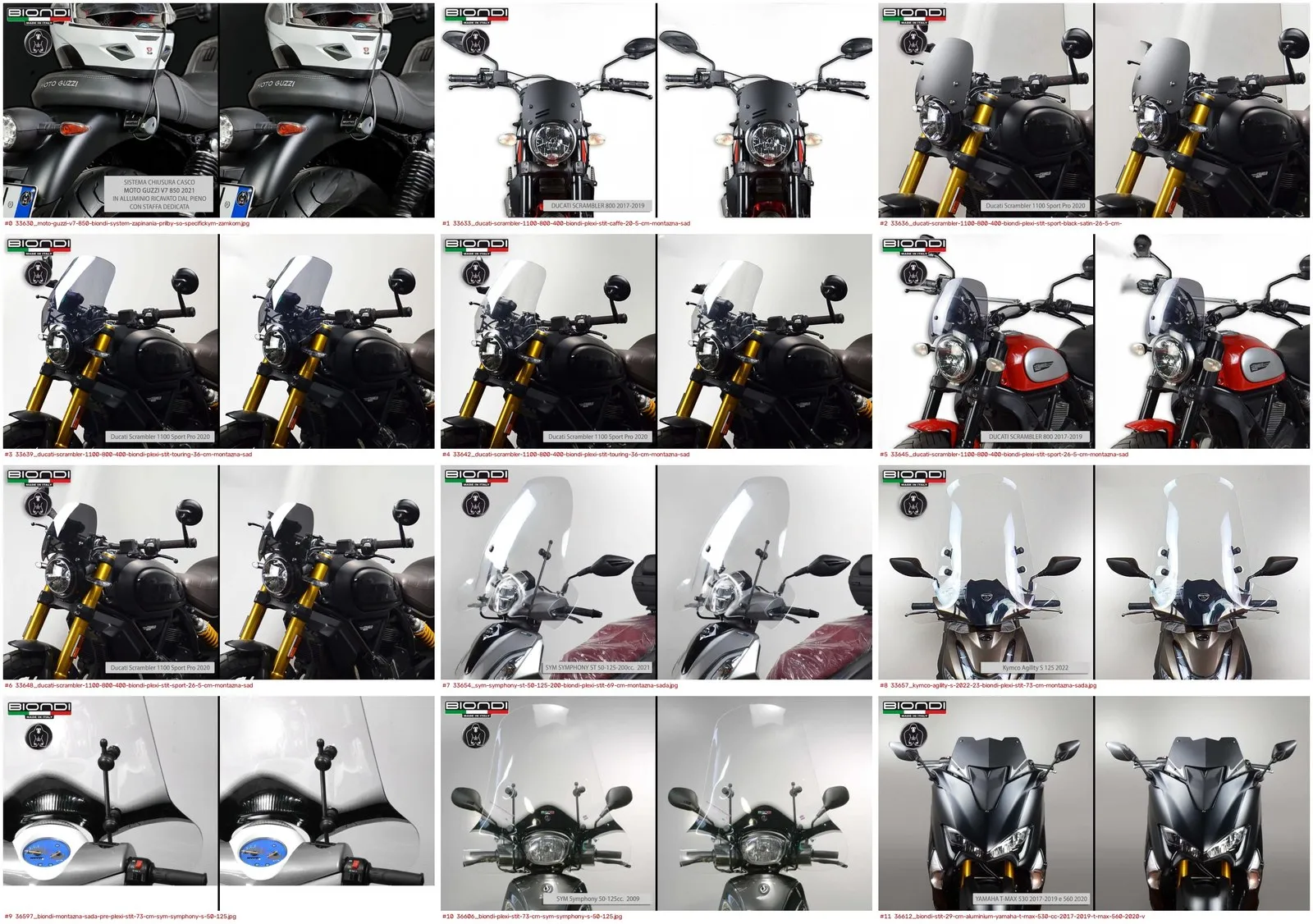
Biondi: the logo inside the photo
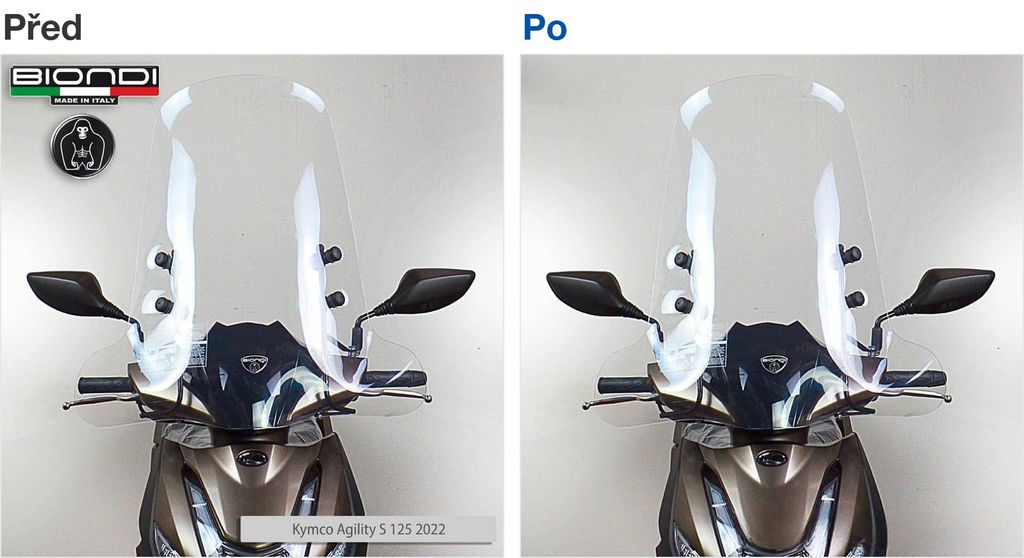
129 photos. The hardest batch. The Biondi badge and the model caption don’t sit on a white background but right over the photo, sometimes over a mirror or the fairing. Whitening isn’t enough, the covered part has to be painted back in.
The only batch where an AI inpainting model helped, the freely available LaMa. An exact rule still decides where the logo is, the model only fills in what was underneath.
Galfer and Brembo: the label moved to the gallery
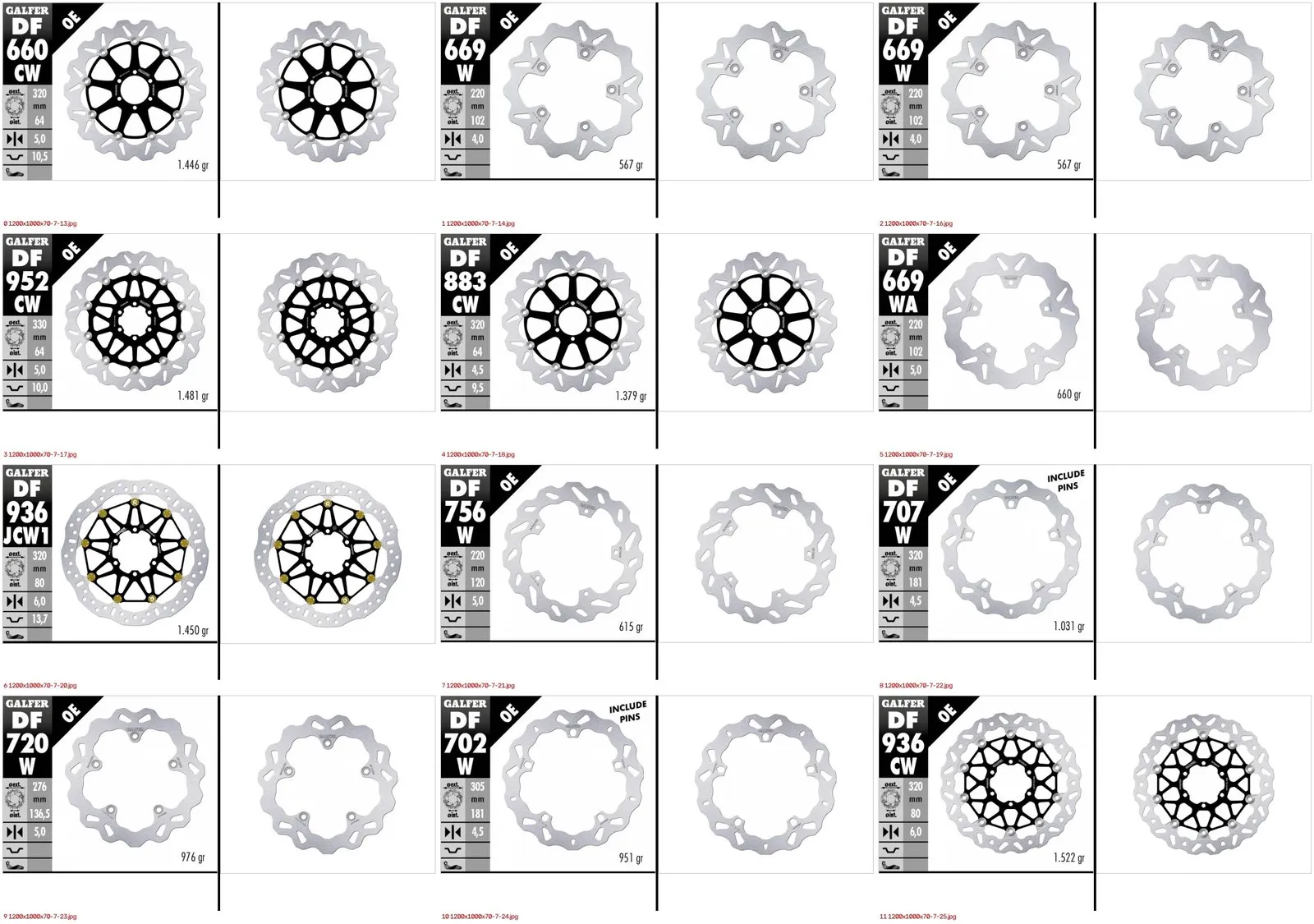
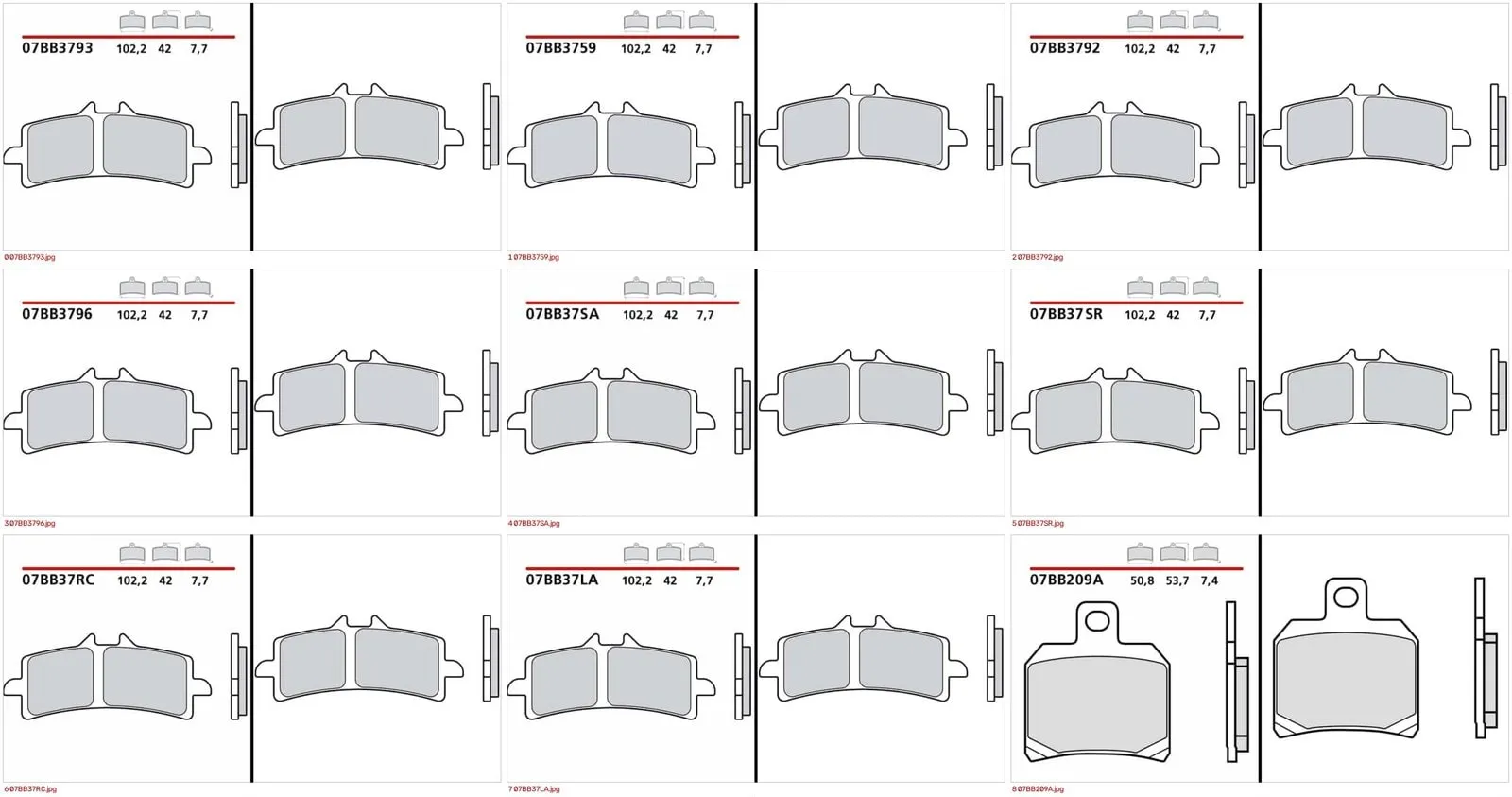
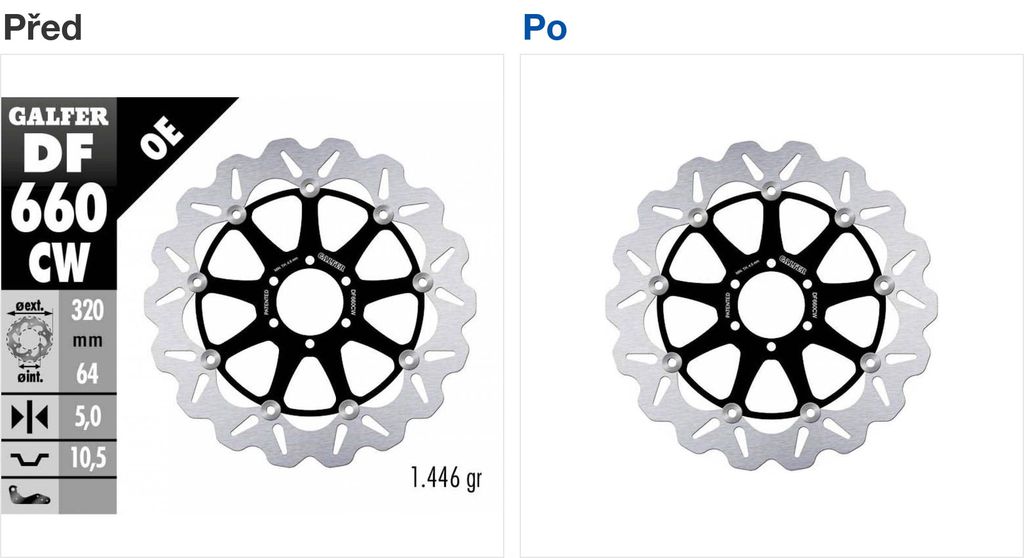
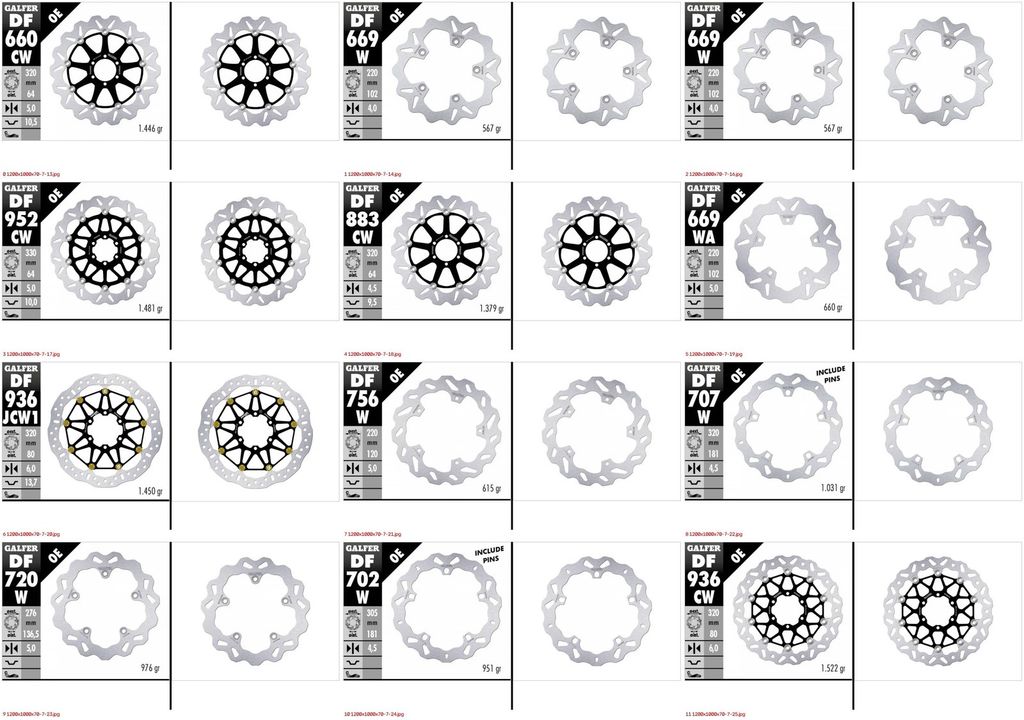
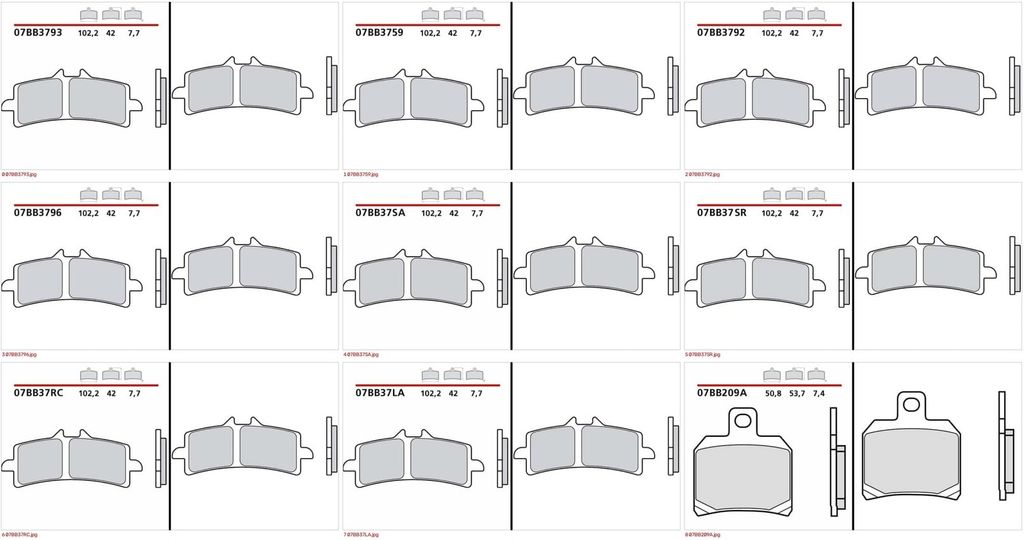
297 photos. The Galfer brake disc photos had a full technical label next to the disc, and the Brembo pads had a header with a code and dimensions. For Google it’s text on the image, for a customer it’s useful information.
So I first copied the original image into the product gallery as an extra photo. Only then did the script keep just the disc or the pad drawing on the main image and centre it. The customer didn’t lose the dimensions and the main image is clean.
Review sheets
A script is fast, but a person answers for the result. So every batch got review sheets: the original, what the script marked, and the result side by side. Cases the script wasn’t sure about, it flagged for manual review itself. The client knows the range best, so they first approved a sample and decided what stays in the photo and what goes. I tuned the rules accordingly and then went through the sheets of whole batches photo by photo before a single file was uploaded to the website.
Getting the clean photo back into WooCommerce and Merchant Center
A clean photo on my computer won’t get a single product approved. It has to go back to the store in all sizes, break nothing, and Google has to notice it.
01
Download and back up
The script pulls the list of the manufacturer’s photos from WooCommerce and downloads the originals. It locks their copy so nothing can overwrite it.02
Clean
The rules go through the whole batch without my intervention. Format, dimensions and file name stay the same.03
Review
The client approves a sample, I go through the sheets of the whole batch. Whatever is off goes back into the rules or I fix it by hand.04
Regenerate sizes
WordPress makes a dozen smaller versions of every photo for listings and thumbnails. Without regenerating them, the logo would stay in the thumbnails. So I compute all versions from the clean photo on my side and they go to the server ready, so the store doesn’t slow down.05
Upload with a backup
Only changed files go to the server, to the same place and under the same name. Every overwritten file has a backup, and after the upload the script checks that the server has exactly what it should.06
Tell Google
Google says that it recrawls an image at the same URL in up to six weeks, at a new one usually within three days. So the cleaned images get a version number at the end of the URL (the file itself isn’t renamed) and I resubmit the products to Merchant Center.
Images smaller than 500 px: Google’s minimum from 31 January 2027
From 31 January 2027, Google will require an image of at least 500 × 500 pixels for all products. An image that doesn’t meet the requirements won’t be shown on Google’s platforms. For tuningmotocyklov.sk, Merchant Center reported 2,897 products and variants with a smaller main image (Image too small), 5.6% of the whole feed.
That looks like almost three thousand fixes. In reality it was 502 files: 2,010 variants take the image of their parent product. Fixing 502 images covered the whole list. I’ll add that the Merchant Center report dropped to zero once I’ve checked it.
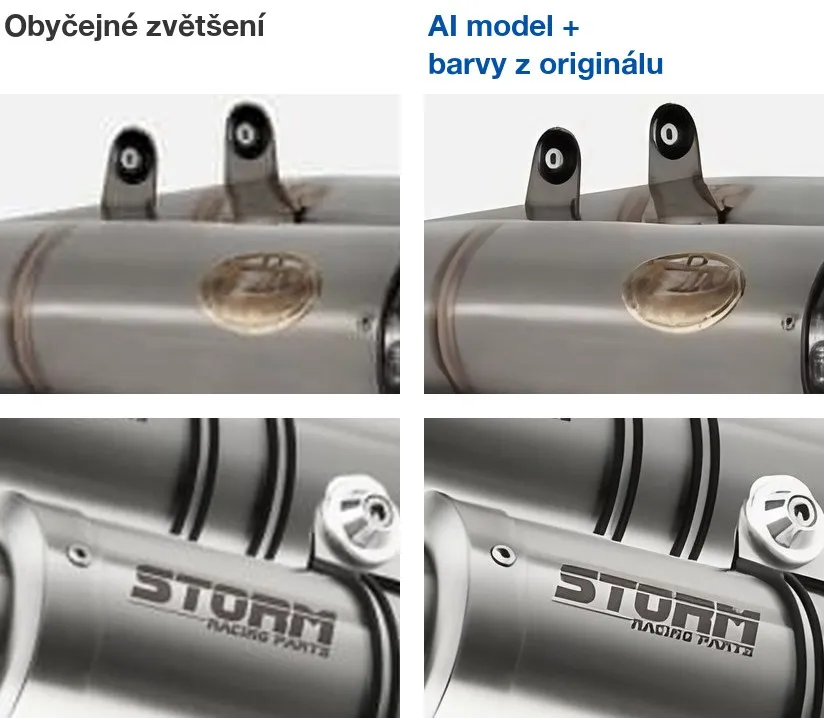
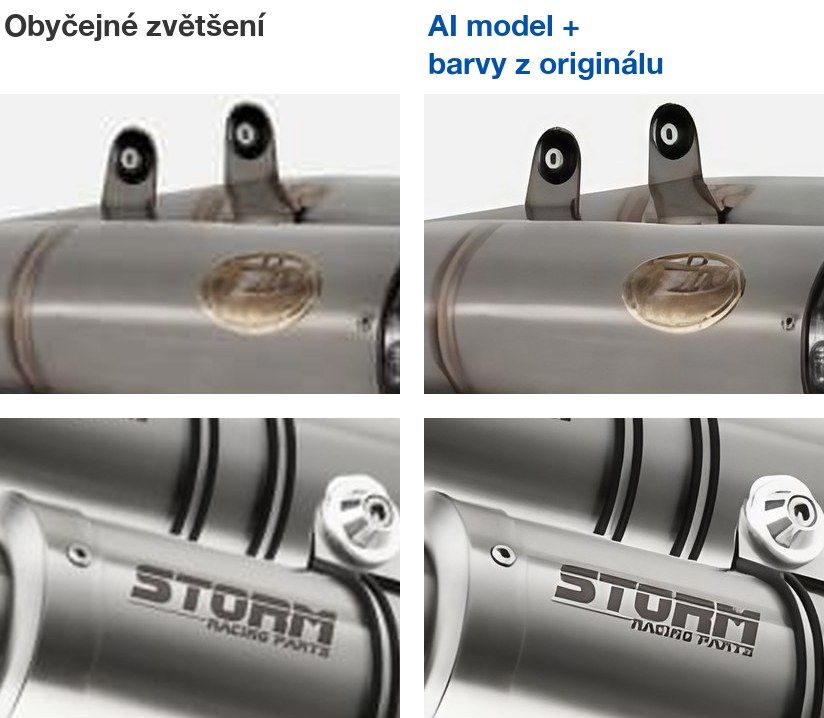
Upscale, don’t stretch. Plain resizing gives a blurry image. I used the AI upscaling model Real-ESRGAN, running locally on my computer. But the model lightened grey backgrounds and added contrast. So I restored the colours from the original: the sharpness comes from the model, the colours from the original photo. Every image now has at least 1,000 px on its shorter side, twice the minimum.
Text on small images. Before upscaling anything, I went through all 502 images with automatic text recognition and by eye. I found a logo, watermark or text on 78 of them and cleaned 42 before upscaling. I deliberately left the remaining 36 images (on 56 products): transparent Evotech watermarks across the whole product, Arrow catalogue sheets and thin Isotta drawings. With Evotech, both methods I tried damaged the product itself. The client is now deciding whether to get new photos from the manufacturer.
FAQ: Text on image and small images
How much does it cost?
A sample on your photos is free. The price of the rest depends on how varied and complex the markings on the photos are and how the new photos get back into the store (platform, type of access). Every catalogue is different, so I don’t quote off the cuff. After the sample I know what I’m working with and give you a fixed price for the whole catalogue.
How long does it take?
Mostly on how quickly I get the materials and how quickly you decide on the sample. The work itself is usually done within a week, then Google needs a few days to pick up the new photos. At tuningmotocyklov.sk it took nine days because the materials came in step by step, manufacturer by manufacturer.
How long does Google take to pick up a fixed image?
Google says it recrawls an image at an unchanged URL in up to six weeks, at a new one usually within three days, thirty at most. So the cleaned photos get a version number in the URL and I resubmit the products to Merchant Center.
What do you need from me?
To start, a link to the store and a few disapproved products. For the work itself, access to the images and to the store admin. The sample shows you what the result will look like. I can go through the review sheets of the whole catalogue for you, or send them to you for approval, as you prefer. The originals stay backed up, so we can always go back to them.
Does it work outside WooCommerce?
Yes. Cleaning the photos doesn’t depend on the platform, only the way back into the store differs. With WooCommerce I upload the files straight to the server. With Shopify, Shoptet or a custom system, I check the way back on the sample before I promise anything.
Will a bulk photo replacement break my store?
No. Files keep the same name, format and dimensions, and only the changed ones are uploaded. Every overwritten file has a backup, and nothing goes to the website that I haven’t checked on a review sheet first. The tuningmotocyklov.sk store ran without downtime the whole time.
Am I allowed to remove the manufacturer’s watermark from their photos?
That depends on the terms under which the manufacturer or distributor gives you the photos. Ask them. The product and any logo physically on it stay in the photo. Only what Google doesn’t accept on a product image goes. I can keep the original photo for customers in the store gallery, as with the Galfer discs. Whether to also send it to Google as an additional image, we decide together: Google applies the same requirements to additional images as to the main one.
Why does Google Merchant Center disapprove products because of the image?
The main product image may show only the product. Google disapproves an item whose photo has promotional text, a watermark, copyright, a manufacturer’s or shop’s logo added afterwards, a compatibility note or a border. In Merchant Center the issue is called Text on image. A disapproved item isn’t shown in ads or free listings until you replace the image.
Can a manufacturer’s logo be on a product photo?
A logo that is physically on the product may stay in the photo: embossed on an exhaust, stitched on a seat. A logo added to the image afterwards is not allowed, typically a watermark in a corner or under the product. At tuningmotocyklov.sk the script therefore told the MIVV watermark under the exhaust from the MIVV logo on the silencer.
Isn’t it enough to turn on automatic image improvements in Merchant Center?
Not for thousands of manufacturer photos. The feature is off by default, and Google itself says it fails with strong watermarks, text over the product and collages. It also changes only the image at Google. Your store and your feeds for comparison sites keep the original photo.
How do I remove logos and watermarks from thousands of product photos in bulk?
With a script that has separate rules for each manufacturer. At tuningmotocyklov.sk I cleaned 5,667 photos from five manufacturers with Python and OpenCV. I used an AI inpainting model (LaMa) only for 129 photos where the logo sat right over the photo. The client approved a sample and I went through all results on review sheets before they were uploaded to the website.
The product is still disapproved after replacing the photo. What could it be?
Check the GTIN attribute. For 237 tuningmotocyklov.sk products it held a part number instead of a barcode. Google recommends no GTIN rather than a wrong one. Once the invalid value was removed, these products went through.
Merchant Center says the image is too small. What can I do?
From 31 January 2027, Google will want an image of at least 500 × 500 pixels for all products, and recommends 1,500 × 1,500 or more. First find out how many files actually affect you: variants often share the image of their parent product. At tuningmotocyklov.sk, upscaling 502 images was enough for 2,897 products and variants. I upscale with an AI model and correct the colours from the original, so the image isn’t blurry and the colours match.
Sources: Google Merchant Center Help on the image_link attribute, the Text on image issue, automatic image improvements, image crawling and the GTIN attribute.
Checked in November 2026.
Is Merchant Center disapproving your products because of images?
Send me a link to your store and a few products where Merchant Center reports Text on image or Image too small. I’ll show you for free what they’ll look like after editing and give you a price for the whole catalogue.
The sample comes with no obligation. You can also write straight to karolina@kybernaut.cz.
I’m Karolína Vyskočilová and I clean and upscale product photos for online stores in bulk, so they pass Google Merchant Center’s rules.
For PPC specialists and agencies
Managing a client’s feed? Send me an export of the affected items, the free sample applies to you too. I fix the photos right in the store, so you change nothing in the feed. You get a list of the edited items and review sheets for the client.
It’s not just about logos
Unifying backgrounds, centring the product or converting photos to another format is the same kind of task. See what else can be automated or how I help WooCommerce stores.